
Meet Notchpals: the characters who live in your Mac's notch
Notchpals is a Mac app whose characters peek out of the notch to remind you to drink water, rest your eyes, move and sleep. How it works, and who it is for.
Notchpals is a Mac app made by Everyday Mac Tools. Its characters slide out of the notch on your MacBook's screen to remind you of the ordinary things a long day at the Mac squeezes out: drinking water, eating, sitting up, moving, resting your eyes, getting to bed, focusing, looking after yourself, looking after your Mac, and getting to meetings on time. It needs macOS 14 or later and runs on Apple silicon and Intel Macs. On a Mac without a notch, or with the built-in screen closed, it draws a small black island in the middle of the main display's top edge, and the characters use that instead.
It is built around one idea: you are far more likely to follow a reminder you don't resent. So the characters have personalities, they speak rarely, and they keep quiet when you are busy. Here is how that works in practice.
What a visit looks like
When a character has something to say, the island at the top of the screen opens, the character slides down, and a speech bubble shows its name and its line, with two buttons, Later and Done. When it is time for an eye break, for example, Blip, the wide-eyed alien who looks after your eyes, says something like this:
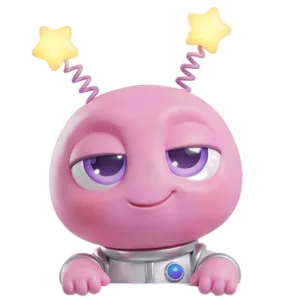
BlipLook across the room! I'll count twenty seconds. One, two, um, what's next?
What happens next is up to you.
- Done. You looked across the room, or drank the water, or stood up. The character says thanks and goes back in.
- Later. You are in the middle of something. The character comes back once, 20 minutes later, if the reminder still applies. A second Later lets it go.
- Nothing. A reminder stays up for about 9 seconds, longer if you hover over it. If you ignore it, that counts as Later.
A few smaller touches make the characters feel less like alerts. Click one and it pokes back with a line of its own. Hover over the notch for a moment and you get a peek. Each character has eight faces (happy, curious, caring, sleepy, annoyed, angry, proud and love), and each line comes with the face that fits it. A character won't repeat a line within 3 days, and only one character is on stage at a time.
One thing Notchpals does not do is check up on you. It has no idea whether you actually drank that glass of water. It trusts your Done, and it keeps no log, no streaks and no stats.
The 10 areas
Every character looks after one area of your day. There are ten:
| Area | What it looks after |
|---|---|
| Water | A first glass in the morning, water through the day, an afternoon glass |
| Meals | Breakfast, lunch, a snack and dinner, near the times you set |
| Posture | Posture checks, dropping your shoulders, screen distance |
| Movement | Standing up after 55 minutes at the Mac in a row, stretches, a short walk after lunch |
| Eyes | Eye breaks (the 20-20-20 idea), blink breaks, dimming the screen at night |
| Sleep | Winding down in the hour before bedtime, bedtime itself, very late nights |
| Focus | Planning the day, focus sessions, a nudge when scrolling runs long |
| Self-care | A breathing break, a check-in during the day, a weekend call, one good thing in the evening |
| Tech care | Low battery, a restart after a week, a nearly full startup disk |
| Schedule | A meeting about to start, wrapping up the workday, working at the weekend |
Each of these is a "moment" with its own window. Lunch comes in a window around the lunch time you set, the stand-up reminder waits for 55 unbroken minutes at the Mac, and the very late moment only appears if you are still at the Mac between 1 and 4:30 AM. The full tour, with a character from each area, is in everything Notchpals can remind you about.
Your crew, and your host
The characters you choose are your crew. A crew has at most one character per area, and you don't need all ten. You start with three: Blip always looks after Eyes, and during setup you pick two more areas. Here are a few of the characters you might meet:
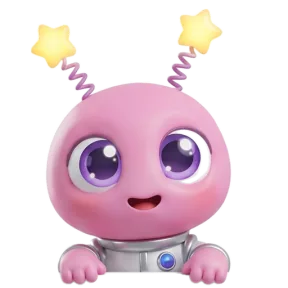





They are not interchangeable. Melo is a watermelon who is very proud of how much water it holds. Sir Pounce is a posh cat who expects better posture. Boo is a shy ghost who apologizes for interrupting your evening. Mirchi, a chili with a very short fuse, handles meals like this:

MirchiYour stomach is growling louder than me. Impressive. Now go eat lunch!
One member of the crew is your host. The host says good morning the first time you sit down at the Mac each day (between 5 AM and noon), welcome back when you return after 15 minutes or more away, and happy birthday if you have told it your birthday.
You can change the crew any time: in Settings > Crew, from "Your crew" in the menu bar, or in the Browse window, which has "Add to crew" and "Make host" buttons and lets you "Try in notch" any character before you buy it. Buying Notchpals includes Blip plus two characters you pick, and any other character can be added later. If you are not sure where to start, how to pick your Notchpals crew walks through it.
How it stays quiet
A reminder app that interrupts all day gets switched off by Thursday. Notchpals is built to be gentle on purpose.
- Timed moments come at most once a day, in their window: breakfast in the morning, the wind down before your bedtime, and so on.
- Repeating reminders share one budget. Water, posture checks, eye breaks, stretches and blinks all draw from a single daily budget across the whole crew. In Settings, "Repeating reminders a day" is Calm (4), Normal (8, the default) or Chatty (12), spaced at least about two hours, one hour or 40 minutes apart.
- There are at least 20 minutes between visits the crew starts on its own.
- Lines fit the moment. No lunch line in the morning, no battery line while the Mac is charging, no bedtime line at noon.
It also holds back on its own in three situations: when an app has the mic or camera on, so calls and recordings are left alone; when the app in front is full screen on the notch's display; and when you are away, which it takes to mean 2 minutes with no keyboard or mouse. Time away isn't counted, so the crew only keeps time while you are actually at the Mac. You can also pause the crew from the menu bar for 1 hour or until tomorrow morning. The menu bar icon is a pair of eyes that close whenever the crew is holding back, for whatever reason.
Notchpals does not detect macOS Focus modes, Do Not Disturb or screen sharing, so pause it yourself before you present from a window. There is more on the rules in reminders that know when not to remind you.
What it knows about you
Very little, and none of it leaves your Mac. There is no account and no analytics. To time a reminder, Notchpals reads the time, your meal times, bedtime and birthday, how long since you last touched the keyboard or mouse (never what you typed), whether the mic or camera is in use (never what they hear or see), whether a full screen app is in front, which app is in front for the scrolling check, and your battery, uptime and disk space for Tech care. Schedule characters can use your calendar, only if you allow it, and then they read only when your next meeting starts, never its title, people or notes.
It goes online only to download characters, check your license, record the characters you own, and check for updates once a day.
Who it is for
Notchpals is for people who spend most of the day at a Mac and keep meaning to drink more water, eat lunch at lunchtime, look away from the screen and stop before midnight. It tends to suit people who have tried reminder apps before and turned them off because every alert looked like work. A character in the notch is easier to take, and much easier to answer with Later.
It also suits people who like a bit of personality in their day. The crew ranges from gentle (Boo, Kapi) to bossy (Mirchi, Bill) to plainly silly (Honk, a goose whose plan is chaos), so you can choose voices you actually want to hear from.
It is not for everyone. If you want to log every glass, count steps or see charts of your week, Notchpals does none of that. It has no sounds or voice, it is in English only, and it is a Mac app only, with no iPhone or iPad version. What it does instead is nudge you at the right moment, from a part of the screen you already look at all day, and then leave you alone.
More on using notchpals
 Using NotchpalsReminders that know when not to remind youHow Notchpals stays quiet on calls, in full screen apps and while you are away, keeps each moment to its hour, and what it does not detect.
 Using NotchpalsWhat Notchpals knows about you, and what it never seesNo account and no analytics. What Notchpals reads on your Mac to time a reminder, why it needs each thing, and the only reasons it ever goes online.
 Using NotchpalsWhy a character in the notch beats another notificationReminders fail when they look like every other banner. Why a character in the notch, with its own voice and better timing, gets noticed, not swiped away.