
Why a character in the notch beats another notification
Reminders fail when they look like every other banner. Why a character in the notch, with its own voice and better timing, gets noticed, not swiped away.
Most reminders on a Mac fail for a dull reason: they look exactly like everything else. A banner asking you to drink water slides into the same corner, in the same gray box, as a chat message, a calendar invite and a failed upload. By the third one of the morning your hand has learned to swipe it away before you have read it.
A character peeking out of the notch works differently on four counts. It shows up in a place nothing else uses, it talks like someone rather than something, it comes when you are actually there, and when you say "not now" it believes you. None of this is magic, and a character is not the right tool for every reminder. But for the soft, easy-to-skip habits (water, posture, eye breaks, getting to bed), it gets noticed where a notification gets cleared.
Why reminders turn into noise
Your brain is good at ignoring things that repeat without consequence. Psychologists call it habituation: a signal that arrives often and rarely matters stops getting your attention. It is the same reason you stop hearing the fridge hum.
Hospitals have a well-known version of this called alarm fatigue. When monitors beep constantly and most beeps turn out to be nothing, staff start to tune them out. A desk day is lower stakes, but the pattern is the same. If your Mac shows you dozens of notifications a day and most of them can wait, every new one, including the one about your eyes, arrives already discounted.
Two things make it worse for health reminders in particular:
- They are never urgent. Skipping one glass of water costs nothing you can see, so the reminder always loses to the email that wants an answer now.
- They repeat. "Time to stretch" at 10, 11, 12 and 1 is four identical messages. By the second one you know what it says, so you stop reading it.
A banner looks like work
macOS gives every app the same two ways to interrupt you. Banners appear in the upper-right corner and go away on their own; alerts stay on screen until you dismiss them. You choose between them per app in System Settings > Notifications.
Both styles share a look: the same rounded box, the same app icon, the same bold title and line of text. That uniformity makes sense for a system that has to handle thousands of apps, but it means a gentle reminder to sit back arrives dressed as a task. And a reminder that looks like a task gets treated like one: triaged, put off, cleared in bulk from Notification Center at the end of the day.
If you get more notifications than you can read, the first fix is not a better reminder but fewer notifications overall. Go through System Settings > Notifications app by app and turn off anything you would not miss; cutting Mac notifications down walks through it.
A character in the notch sidesteps the problem by not being a banner at all. In Notchpals, the island at the top of the screen opens, a character slides down, and a speech bubble shows its name and its line. Nothing else lives in the notch, so the reminder is never one of a stack, and only one character is on stage at a time, so the notch never fills up with a queue. On a Mac without a notch, or with the built-in screen closed, Notchpals draws its own black island at the top of the main display, so the same applies there.
A voice you recognize
A notification speaks in the voice of software: "Reminder: Bedtime." A character speaks in its own. Here is Boo, a shy ghost who looks after sleep, in the hour before bedtime:
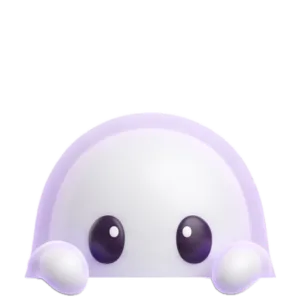
BooSorry to interrupt... it's nearly bedtime. Maybe save your work? Sorry.
You can wave that away too, of course. But it is harder to resent, and it does not read like a ticket in a queue. A few things are going on:
- Variety. Each character has several lines for each moment and won't repeat a line within 3 days, so the reminder never hardens into one sentence you skim past.
- A face. Each line comes with one of eight faces (happy, curious, caring, sleepy, annoyed, angry, proud, love) that fits the words. The face tells you the tone before you have read a word.
- A personality you chose. Boo apologizes. Bolt, the Focus robot, is blunt. Mirchi, a chili who looks after meals, shouts. You pick the voices you want to hear, and the ones you would tune out never join your crew.
Why warmth and humor tend to work better than guilt has its own post, why kind reminders work better than nagging. The short version: a reminder you don't dread is one you leave turned on.
Timing that knows you are there
A calendar alert or a repeating timer fires on the clock, whether you are at your desk or making lunch. Come back from a meeting and you can find three stale reminders waiting, all of them now beside the point.
Notchpals waits for you. If there has been no keyboard or mouse input for 2 minutes, it treats you as away and doesn't count that time, so a moment like "stand up" is measured in time actually spent at the Mac. It also holds back during the things you would hate to have interrupted: a call or a recording, which it spots because an app has the mic or camera on, and a full screen app in front on the display the characters use, such as a slideshow.
It keeps the count low on purpose, too. Repeating reminders such as water, posture checks and eye breaks share a single daily allowance across the crew: four, eight or twelve a day, depending on whether you choose Calm, Normal or Chatty. Once-a-day moments like lunch or bedtime come only in their window. There are always at least 20 minutes between unprompted visits. Fewer interruptions means each one carries more weight. The full list of when the crew holds back is in reminders that know when not to remind you.
Later is a real answer
Most reminders offer two choices: obey, or dismiss and feel faintly guilty. Snooze buttons exist, but some of them just bring back the same message on a loop until you give in.
Every Notchpals visit has two buttons, Later and Done. Done gets a thank you. Later is treated as a perfectly reasonable thing to say:
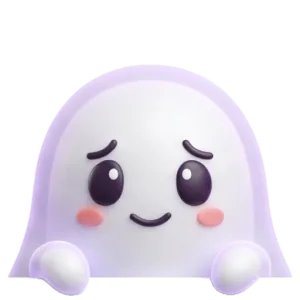
BooOh... okay. Sorry for bothering you. I'll try again later.
The character comes back once, 20 minutes later, and only if the moment still applies. Press Later a second time and it lets that one go. If you ignore the bubble altogether, it leaves after about 9 seconds and that counts as Later. Nobody keeps score.
This matters more than it sounds. A reminder you are allowed to decline is one you don't have to fight, and people tend to stick with habits they don't feel pushed into. Being asked again in 20 minutes, once, is often all a glass of water needed.
When a notification is still the better tool
A character in the notch is built for soft habits. It is not the right home for everything.
- Hard deadlines. Notchpals makes no sounds. For a medication time, a school pickup or a train you can't miss, use Reminders with its notifications set to alerts, so they stay on screen, or an alarm in Clock.
- Proof. Notchpals does not know whether you actually drank or stood up. It trusts your Done, and it keeps no streaks or stats. If you want a log, a tracking app does that job.
- Quiet modes. It does not read macOS Focus modes or Do Not Disturb, and it can't tell when you are sharing your screen. Before a demo, pause the crew from the menu bar for an hour.
For everything in between, the reminders you mean to follow and keep swiping away, it is worth moving them out of the corner and giving them a voice.
More on using notchpals
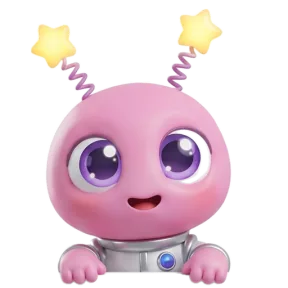 Using NotchpalsYour first day with Notchpals: setup, the trial and what to expectNotchpals sets itself up in the notch, guided by Blip. Each step of setup, the sample reminder, the menu bar, Browse, and what happens when the trial ends.
- Using NotchpalsEverything Notchpals can remind you about, area by areaA tour of the 10 Notchpals areas, from water and lunch to battery and meetings: what each one reminds you about, when, and crews for different days.
- Using NotchpalsHow to pick your Notchpals crew, starting with your weakest habitBlip looks after your eyes, and you choose two more areas. How to pick them from the habits you slip on most, match characters to your taste, and choose a host.