
Why your shoulders creep up at the desk, and how to drop them
Shoulders up by your ears again? The usual desk causes (stress, a high desk, a far mouse, a cold room), a quick shoulders-down check and setup fixes.
You look up from a hard piece of work and notice your shoulders are somewhere near your ears. You drop them, feel a wave of relief, and ten minutes later they are back up again. Shoulders creep up at a desk for a handful of ordinary reasons: stress and concentration, a desk or keyboard that sits too high, a mouse that is too far away, armrests set too high, a cold room, and phone calls held between ear and shoulder.
The fix has two halves. Catch it when it happens, with a quick shoulders-down check and a release or two. Then change the setup, so there is less pushing your shoulders up in the first place. This post covers both.
Why your shoulders rise
Most people have more than one of these going on at once.
Stress and concentration
Tension tends to show up in the neck and shoulders first. When you are concentrating hard, reading a tense email or racing a deadline, the muscles across the top of the shoulders often tighten without you deciding to. Many people also breathe shallowly, high in the chest, when they are absorbed, and that kind of breathing leans on the neck and shoulder muscles more than slow breathing does. None of this is a problem for a minute. Held for an afternoon, it is what leaves you stiff and sore by six.
A desk or keyboard that is too high
If your keyboard sits above your elbows, you have to lift your forearms to reach it, and the easiest way to lift your forearms is to hike your shoulders. This is very common at kitchen tables, at desks built for someone taller, and when the chair has been lowered so your feet reach the floor.
A mouse that is too far away
Reaching forward or out to the side for a mouse lifts the shoulder and rolls it forward. A wide keyboard with a number pad pushes the mouse further out to the right, so the right shoulder often rides higher than the left.
Armrests set too high
Armrests above elbow height push both shoulders up all day, gently enough that you stop noticing. Armrests that are much too low can make you lean to one side instead.
A cold room
People hunch when they are cold. An air conditioning vent above the desk, a draft from a window or a thin shirt in an office set for people in jackets will all bring the shoulders up without any help from your work.
The phone tucked under your ear
Holding a phone between ear and shoulder, even for a short call, crunches one side of the neck. Do it a few times a day and that side often stays tight.
| Cause | What you notice | Quick fix |
|---|---|---|
| Stress or focus | Shoulders and jaw tight during hard tasks | Shoulders-down check, slow breaths |
| Desk too high | Elbows below the keyboard | Raise the chair, add a footrest |
| Mouse too far | One shoulder higher than the other | Mouse right next to the keyboard |
| Armrests too high | Arms pushed up while resting | Lower them to elbow height or below |
| Cold room | Hunched, arms close to the body | A layer, or move away from the vent |
| Phone on shoulder | One side of the neck tight | Headphones or speaker for calls |
The shoulders-down check
This takes about ten seconds and works anywhere, including in the middle of a meeting with your camera on.
- Notice where your shoulders are right now. Don't fix them yet, just notice.
- Breathe in and lift them toward your ears on purpose, a little higher than they already were.
- Hold for a couple of seconds.
- Breathe out slowly and let them fall. Don't push them down, just stop holding them up.
- Let your arms hang heavy for a breath, then put your hands back on the keyboard.
That last step is the useful one. If your hands can reach the keyboard and mouse with your shoulders where they just landed, the setup is fine and the cause is mostly tension. If you have to lift your shoulders again to reach, the setup is part of the problem, and the section below will help more than any stretch.
While you are there, check two neighbors. Unclench your jaw and let your teeth part slightly. Loosen your grip on the mouse. Tension in the jaw and hands tends to travel with tension in the shoulders.
The hard part is remembering to do it. Tie it to things that already happen: every time you send an email, every time you join or leave a call, every time a page is loading. You will catch your shoulders on the way up far more often than you do now.
Simple releases
When the shoulders have been up for a while, a gentle release helps them let go. Move slowly and stop if anything hurts.
- Shoulder rolls. Lift the shoulders, roll them back, then down. Five slow circles, then a couple the other way.
- Side neck stretch. Sit tall and let your right ear tip toward your right shoulder, keeping the left shoulder low. Holding the side of the chair seat with your left hand deepens it a little. Hold for a few slow breaths, then switch sides.
- Shoulder blade squeeze. Draw your shoulder blades gently back and down, as if tucking them into your back pockets. Hold for a few seconds, release, and repeat five times.
- Stand and shake out. Stand up, let your arms dangle and shake out your hands for a few seconds. Getting out of the chair often does more than a seated stretch.
- Three slow breaths. Breathe in through the nose and out for a little longer than you breathed in. Let the shoulders drop on each out breath.
For a longer routine that covers the neck, chest and upper back, see two-minute desk stretches.
If you use Notchpals and Kapi the capybara looks after Self-care in your crew, its Breathe visit asks for much the same thing. It comes after 90 minutes at the Mac in a row, between 10 AM and 8 PM:

KapiNothing is urgent for three breaths. Not even that. Breathe slow.
Fix the setup so it happens less
Releases help, but if the desk keeps pushing your shoulders up, they will keep going up. Ten minutes on the setup does more than any number of shoulder rolls.
- Start with the chair. Sit all the way back so your lower back is supported, with your feet on the floor. If they dangle, a footrest or a sturdy box fixes it.
- Find your elbow height. Let your arms hang by your sides and bend your elbows until your forearms are roughly level. That is where the keyboard wants to be, or a touch lower. If the desk is too high, raise the chair until your elbows are level with the keyboard, then put a box or a stack of books under your feet.
- Bring the mouse in. It should sit right beside the keyboard, at the same height, close enough that your elbow stays by your side. If you rarely use a number pad, a compact keyboard lets the mouse come closer. A MacBook's trackpad sits in the middle, which is kind to the shoulders.
- Set the armrests. At or just below elbow height with your shoulders relaxed, or lowered out of the way.
- Raise the screen. A screen that is too low pulls your head forward, and your shoulders tend to follow. Aim for the top edge level with your eyes or slightly under, at roughly arm's length. Laptops are the usual culprit; good posture with a MacBook covers the fixes.
- Keep the phone off your shoulder. Use headphones or the speaker for calls.
- Stay warm. Keep a layer at the desk, and if a vent blows on you, move the desk or close the vent.
When it keeps coming back
If the setup is right and your shoulders still climb, the cause is probably tension rather than furniture. Notice when it happens. For many people it is a particular kind of task, a particular person in a chat window, or the last hour before a deadline. Knowing the trigger won't make the stress go away, but it tells you when to check your shoulders, take a short break or step away from the screen for a minute. Shoulders are only one of the places a hard day settles; signs your workday is too tense covers the others.
Regular breaks matter as much as anything in this post. Muscles that hold one position for hours get tired and stiff, whatever that position is. Standing up, walking to refill your water or looking out of a window for half a minute all give your shoulders a chance to reset.
Pain that hangs on for more than a few days, headaches that seem to start in the neck, and any numbness, tingling or weakness in an arm or hand are worth a visit to a physiotherapist or your doctor. Those need a proper look, not another stretch.
Let something else notice for you
Shoulders rise while you concentrate, which is exactly when you are least likely to notice. Notchpals hands that job to its Posture characters, and one of their repeating moments is called Shoulders down. With Barnaby the butler as the Posture member of your crew, it can arrive at any point between 9 AM and 9 PM and sound like this:
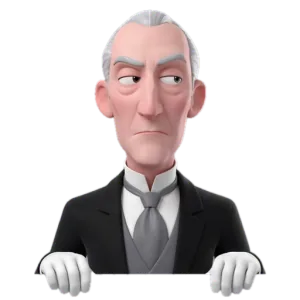
BarnabyYour shoulders appear to have risen in rank. Kindly demote them.
Treat it as the cue for the ten-second check above: lift, hold, drop, and see whether your hands still reach the keyboard. Press Done when your shoulders are back where they belong. If you are halfway through a sentence, Later buys you 20 minutes before Barnaby asks again, and a second Later lets it go. Shoulders down shares a daily allowance with the crew's other repeating reminders, and you pick the size of that allowance in Settings. Calm keeps the whole crew to four repeating visits a day, so the habit of checking at natural pauses still does most of the work.
Barnaby can't see you and has no idea whether your shoulders were actually up. The asking is the point. Each visit is one more moment of noticing, and noticing is the skill this whole post is about.
More on posture
 PostureWorking from the couch or bed with a MacBook, without the sore neckCouch, bed or kitchen table: how to set up a MacBook when there is no desk, how long to stay in one spot, and the signs it is time to move to a real desk.
- PostureWrists at a Mac: keyboard, trackpad and mouse without the strainKeep your wrists straight at a Mac: keyboard height, resting between keystrokes, trackpad or mouse, shortcuts that cut mousing, and when to see someone.
- PostureDesk setup for a Mac: chair, keyboard and screen, step by stepSet up a desk for working at a Mac in the right order: chair and feet, back support, keyboard, mouse, screen height and distance, then light. With a checklist.